


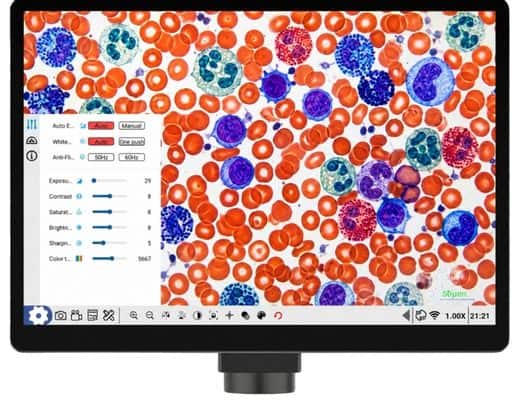
 Advances in technology have made microscopy more convenient than ever. Observations can now be viewed not only through the eyepiece but also displayed digitally on a screen. One device that meets this need is the OptiLab Integra.
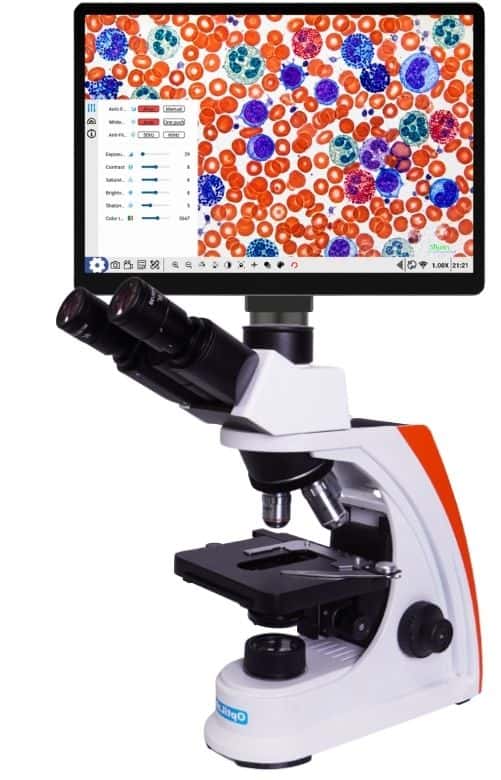
OptiLab Integra is a digital microscope camera that allows images of observed objects to be displayed directly on a screen. This device is used with a trinocular microscope equipped with a camera port, enabling users to observe objects while simultaneously displaying the results digitally.
The Advantages of OptiLab Integra
1. Displaying Observation Results in Real Time
One of the key features of OptiLab Integra is its ability to display real-time microscope images. Once connected to a trinocular microscope, images of the specimen can be viewed on the device’s touchscreen.
The use of digital screens also makes it easier to share observation results with others. This feature can support learning, practical exercises, research, and laboratory activities that require the visualization of microscopic objects.
2. Using the Android Operating System
OptiLab Integra runs on the Android operating system, making it more convenient and intuitive for users to manage their observation results.
With this system, observation records can be saved on the device for later use as needed. In addition, photos and videos can be shared using various methods available on the Android system. Thus, the documentation process does not end with capturing images, but can continue with more convenient storage and sharing of the results.
3. Supports Photo and Video Documentation
In addition to displaying objects directly, OptiLab Integra supports documentation in the form of photos and videos. Observation results can be saved for record-keeping, reporting, educational materials, or laboratory documentation.
This device also provides a feature for measuring objects in the image being viewed. Thus, observation, documentation, and measurement can all be performed within a single digital system.
How to Use OptiLab Integra
Using OptiLab Integra involves a few simple steps.
1. Mount it on a trinocular microscope
Connect the OptiLab Integra to the available camera port on the trinocular microscope. Make sure the device is connected properly.
2. Connect the power adapter
Plug the OptiLab Integra power adapter into an electrical outlet before turning on the device.
3. Press the Power button
Turn on the device by pressing the Power button and wait until the system is ready for use.
4. Observe the object on the screen
Place the specimen on the microscope, then observe it. The image of the object will be displayed directly on the OptiLab Integra screen.
5. Document the results of your observations
Once the desired view of the object is achieved, users can take a photo, record a video, or take measurements using the available features.
6. Object Measurement
To take measurements, users must first calibrate the device using a calibration slide or an objective micrometer. After calibration, the measurement feature can be used to measure length, area, angles, distance, and specific shapes. Measurement results can also be saved as screenshots or exported as tables or documents.
Optimize Your Observations with OptiLab Integra
The integration of a digital camera with a trinocular microscope makes observation, documentation, and measurement more convenient. The OptiLab Integra is an ideal choice for laboratories, educational institutions, and users who need a digital microscopy system.
To learn more about laboratory equipment needs, visit PT Miconos website to view a variety of laboratory equipment options or Contact us To discuss your laboratory needs with the PT Miconos team.